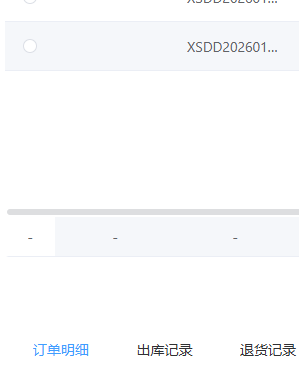
默认ERP-Table页:
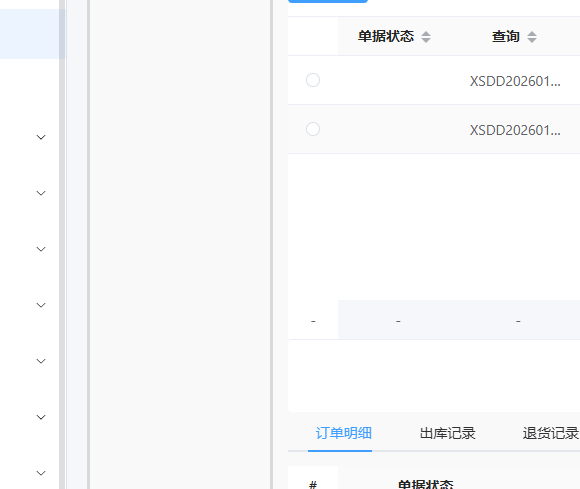
自定义页面:
把出问题的这个自定义vue内容发出来,我看一下是什么问题,滚动条是avue那边渲染的
<template> <div class="text-center text-18px py-10px bg-#F9F9F9"> <div class="flex gap-x-10px"> <div class="flex-basic-180px flex-shrink-0 text-center bg-#F9F9F9 pt-15px w-180px border-solid border-#D9D9D9">查询方案</div> <div class="flex-1 p-5px"> <LowTable :tableId="option.tableId" :enhance-data="option.enhanceData" :fixed-search="option.fixedSearch" ></LowTable> </div> </div> </div></template><script setup> const option =ref( { tableId: '1940706813690343425', enhanceData: {}, fixedSearch: {} })</script>
还没有进行改动,代码仅为模板代码
<template>
<div class="text-center text-18px py-10px bg-#F9F9F9">
<div class="flex gap-x-10px">
<div class="flex-basic-180px flex-shrink-0 text-center bg-#F9F9F9 pt-15px w-180px border-solid border-#D9D9D9">查询方案</div>
<div class="flex-1 p-5px">
<LowTable
:tableId="option.tableId"
:enhance-data="option.enhanceData"
:fixed-search="option.fixedSearch"
></LowTable>
</div>
</template>
<script setup>
const option =ref( {
tableId: '1940706813690343425',
enhanceData: {},
fixedSearch: {}
})
</script>
是样式问题,表格宽度挤出屏幕了 按下面这个来
<div
class="flex-basic-180px flex-shrink-0 text-center bg-#F9F9F9 pt-15px w-180px border-solid border-#D9D9D9"
>查询方案</div
>
<div class="flex-1 p-5px max-w-[calc(100%-210px)]">
const option = ref({ tableId: '1940706813690343425', enhanceData: {}, fixedSearch: {} })
把出问题的这个自定义vue内容发出来,我看一下是什么问题,滚动条是avue那边渲染的